
Quick picks: three ElvUI profile styles worth comparing
Start with the layout style, not the creator name. A clean general-purpose profile works well for questing and damage roles, a data-dense profile suits players who want party cooldowns and debuffs visible, and a healer layout needs raid frames placed where eye travel is minimal. The table below is a comparison shortlist, not a guarantee that every dependency or import string will remain current.
All three examples come from public Wago UI Pack pages and are community-created, not official ElvUI screenshots. Open the source page, read its required-addons list, check the most recent update, and review the gallery before downloading or copying any profile string.
| Profile style | Best for | What to inspect | Community source |
|---|---|---|---|
| LuckyoneUI | DPS, tanks and players who want a restrained central layout | Action-bar scale, nameplates, Details placement and supported resolution | LuckyoneUI on Wago |
| MitchUI | Players who prioritize raid frames, cooldowns and debuff visibility | Required plugins, frame colors, party-cooldown modules and import order | MitchUI on Wago |
| LuckyoneUI Healing | Healers who want compact raid frames close to the character | Raid-frame size, aura indicators, mouseover bindings and group-size behavior | Healing layout on Wago |
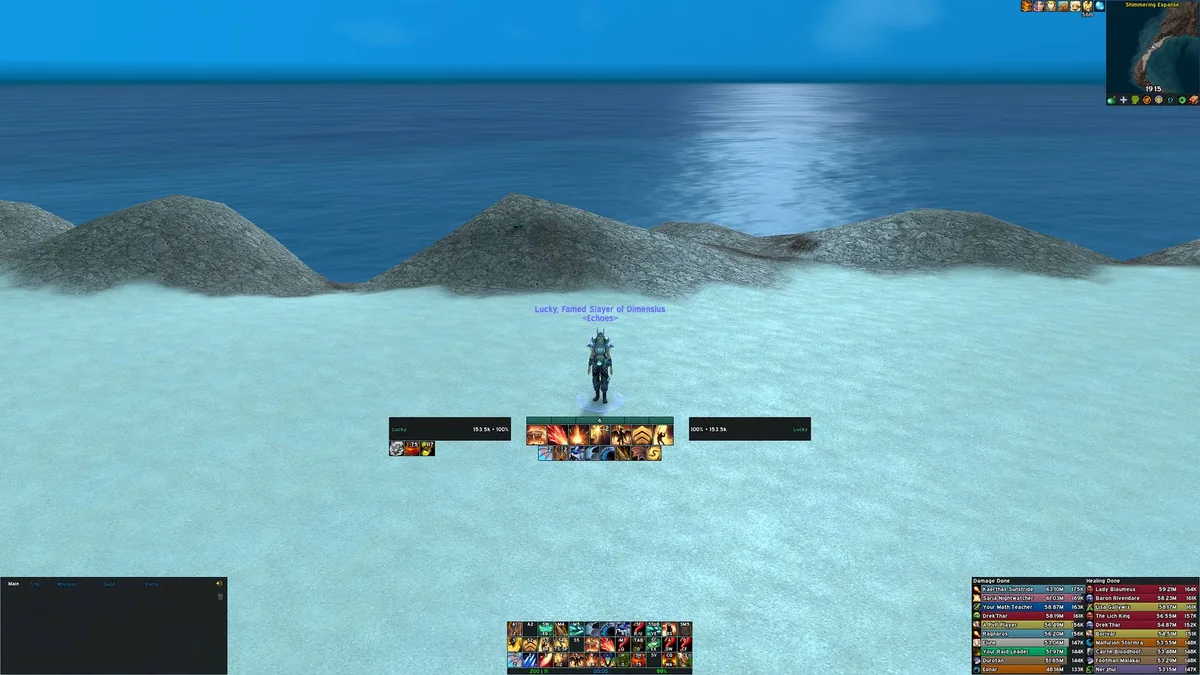
Choose an ElvUI layout by role, resolution and information load
A profile made on 2560×1440 can look cramped at 1920×1080, while an ultrawide layout may leave important elements too far from the center. Before importing, note your actual game resolution and UI scale. Then decide which information must stay near your character: personal resources, target casts, important debuffs, party interrupts, raid frames or boss timers.
For damage dealers, a centered player/target frame with a compact action-bar block usually gives a clean baseline. Tanks often need larger nameplates, threat color and defensive cooldown visibility. Healers should judge raid-frame position and aura clarity before decorative details. If a screenshot is attractive but hides the information your role uses every pull, it is the wrong profile for you.
- Match the published resolution and UI scale as closely as possible.
- Prefer a profile with a short, explicit dependency list.
- Check whether the pack changes ElvUI only or also imports Plater, Details, BigWigs, WeakAuras or other addons.
- Choose readable fonts and frame sizes before adjusting colors or textures.
- Test in a target dummy area, a five-player group and a raid-sized group before committing.
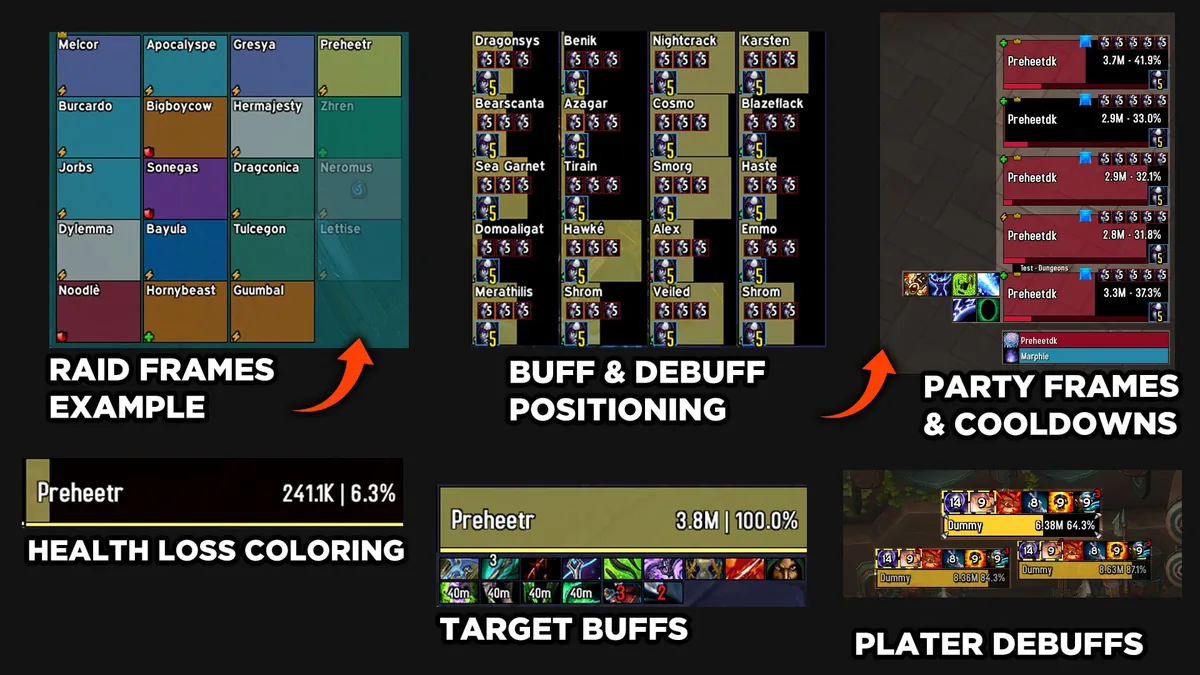
What makes a good healer ElvUI profile
A healer profile should reduce eye movement between raid health, encounter space and personal resources. Compact frames near the center can help, but only when names, health changes, dispellable debuffs and priority auras remain readable. More icons are not automatically better: repeated or low-priority indicators can hide the one mechanic that matters.
Confirm how the pack handles mouseover casting, click-casting and role-specific indicators. ElvUI profiles do not always include the author's WeakAuras, private fonts or third-party plugins, so a copied layout may look incomplete even when the import succeeds. Treat the screenshot as a design reference and the source page's dependency list as the operational checklist.
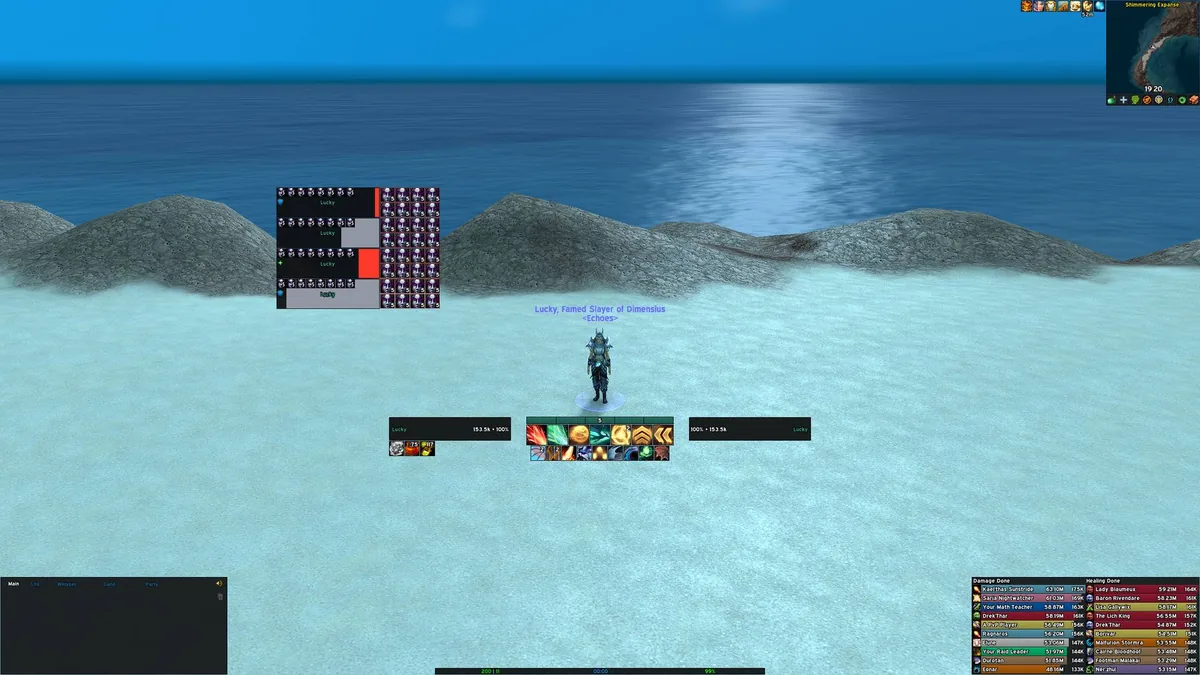
Import an ElvUI profile without losing your current setup
Never paste a new profile over the only copy of a working interface. Export your current character profile first, give it a dated name, and keep the text outside the game. If the UI pack uses several addons, import one component at a time so you can identify which import caused a layout, font or performance problem.
ElvUI v15.26 is the current verified base release for this review. A profile may still have been created on an older build, so expect small position or option differences after import. Do not replace ElvUI with an unverified archive just to match an old screenshot; update the profile around the current addon instead.
- 1
Back up the working profile
Use ElvUI Profiles to export your current profile and copy the string to a dated text file.
- 2
Read the complete dependency list
Install only required addons from their recognized project pages and avoid unofficial bundles.
- 3
Create a new profile slot
Import into a separate profile name so your original layout remains available.
- 4
Import components in order
Apply ElvUI first, then optional addons such as Plater, Details or WeakAuras only when the pack documents them.
- 5
Test and remove what you do not need
Reload the UI, enter combat safely, test group frames and disable modules that duplicate information.
Red flags when downloading ElvUI profiles and layouts
A profile string is configuration data, but a pack may link to addon downloads, fonts, installers or external archives. Avoid packages that hide the source, require an unknown executable, promise a special ElvUI build, or provide no dependency list. Prefer a transparent profile page with screenshots, update history and named addon requirements.
Also watch for intent mismatch. A tournament healer layout, a streamer package with many WeakAuras, and a minimalist leveling UI solve different problems. The best ElvUI profiles are the ones you can maintain after the original screenshot stops matching the current patch.
- No visible update history or creator/source page.
- An executable installer is required for a simple profile import.
- The screenshot depends on unnamed fonts, textures or private plugins.
- The pack duplicates functions already supplied by ElvUI without explaining why.
- The layout is tied to a different resolution and offers no scaling guidance.
Best ElvUI profiles FAQ
Where can I download the best ElvUI profiles?
Use a transparent community profile source such as Wago UI Packs, then verify the update date, screenshots and required addons. The source links in this guide are examples to compare, not automatic endorsements of every bundled component.
Can I import a 1440p ElvUI profile on a 1080p display?
Usually yes, but frames may overlap or become too small. Import into a separate profile, adjust UI scale, then move central frames, chat panels and meters before using it in group content.
Why does an imported ElvUI profile look different from the screenshot?
The screenshot may use additional fonts, textures, WeakAuras, Plater, Details or private settings. It may also have been captured at another resolution or addon version.
What is the best ElvUI profile for healers?
Choose one with readable raid frames near your main field of view, clear debuff and aura indicators, and documented click-casting or mouseover behavior. Test it at your normal group size.
Will importing a profile delete my current ElvUI settings?
It can overwrite the selected profile. Export your current setup first and import the new layout into a separately named profile slot.